A safe sequence for steady hum
- 1
Stop at electrical warning signs
Damage, overheating, tingling, protection trips or persistent abnormal noises require appropriate service.
- 2
Record and power down
Save gain and routing. Follow the manual before disconnecting a permitted low-level signal lead.
- 3
Observe the permitted isolated condition
Keep protective earth intact. Record whether the unit is active or in standby; quiet standby may be inconclusive.
- 4
Reconnect one signal path at a time
Power down before each change. Give support the connection that reproducibly restores the noise.
1.First separate steady hum from a service warning
A steady hum with no programme playing calls for a different investigation from a thump at startup, an intermittent rattle or distortion on loud effects. With playback stopped and volume low, note whether the sound comes from the driver, the cabinet or another device. Do not put your ear against a driver that could suddenly receive a signal.
Stop using equipment that smells burnt, overheats, has damaged mains wiring, causes tingling or trips protection. Disconnect it safely if possible and obtain appropriate service. Klipsch identifies thumping or persistent high-pitched/squealing noises as possible amplifier faults; that does not diagnose every subwoofer, but it is a reason not to keep experimenting with an abnormal device.
Never remove a protective-earth pin or use an adapter to defeat grounding. Rane distinguishes signal-ground problems from the grounding provided for electrical safety. This guide concerns accessible signal connections; it is not a procedure for rewiring mains power or opening an amplifier.
Source for this section: RaneNote 110: preserve factory grounding provisions ↗
Source for this section: Klipsch: abnormal-noise symptoms and service guidance ↗
| Observation | Next question | What it does not prove |
|---|---|---|
| Hum stops in the permitted isolated condition | Compare the compatible cable and connected signal path | That a ground loop has been established |
| Hum remains without the permitted input lead | Ask support about the sub and local environment | That a named internal part has failed |
| Sub enters standby or mutes its input | Check how the manual defines a valid observation | That the active signal path is quiet |
| Noise appears only during playback or high output | Reclassify the symptom and reduce playback level | That the problem is constant ground-loop hum |
2.Write the connection chain before unplugging cables
Record the subwoofer input, the feeding device and any connected TV, computer, cable receiver or other source. Note the sub's gain and filter settings. A photograph of your own rear-panel connections can help restore the original arrangement; do not change settings and wiring together.
Check whether the hum changes with the receiver's volume or remains at a similar level with programme playback stopped. These are observations, not a fault verdict. A signal path can introduce noise downstream of one volume control, so a steady level does not by itself prove that the subwoofer amplifier is defective.
Identify the manual's user-accessible isolation procedure. The next check assumes a conventional powered subwoofer with a removable, low-level analog signal cable. A wireless, proprietary multi-pin or speaker-level connection needs its own instructions. Do not apply an RCA procedure to a different electrical interface.
To identify the source, line-level path and amplification stages, read Audio Signal Chain Explained: From Source to Speakers.
3.Compare with and without the low-level signal connection
Stop playback, lower the listening level, and power equipment down in the order specified by its manuals. Disconnect the low-level signal lead at the subwoofer input only when the manufacturer permits this check. Keep the original mains cord and protective-earth connection intact; leave the disconnected lead clear of people and connectors.
If the instructions allow operation without that input cable, restore power at the recorded low setting and observe the result. Hum that remains makes the connected upstream signal chain less likely to be the only cause. It is not proof of a particular internal fault: local interference and input behavior remain possible. A unit that enters standby may be inconclusive rather than quiet by diagnosis.
If the hum disappears, power down again before reconnecting. The cable or the interconnection between devices now deserves attention. This result alone does not prove a ground loop. Keep a short record of the changed connection and whether the sub was awake, in standby or otherwise muted.
(1)Before the signal-side comparison
- Confirm the manual permits the test for your input type.
- Stop playback, lower the level and power down before cable changes.
- Leave the original mains cord and protective-earth provisions intact.
- Record whether the sub is awake, muted or in standby.
- Stop if damage or abnormal electrical behavior appears.
4.Check one compatible cable and one route
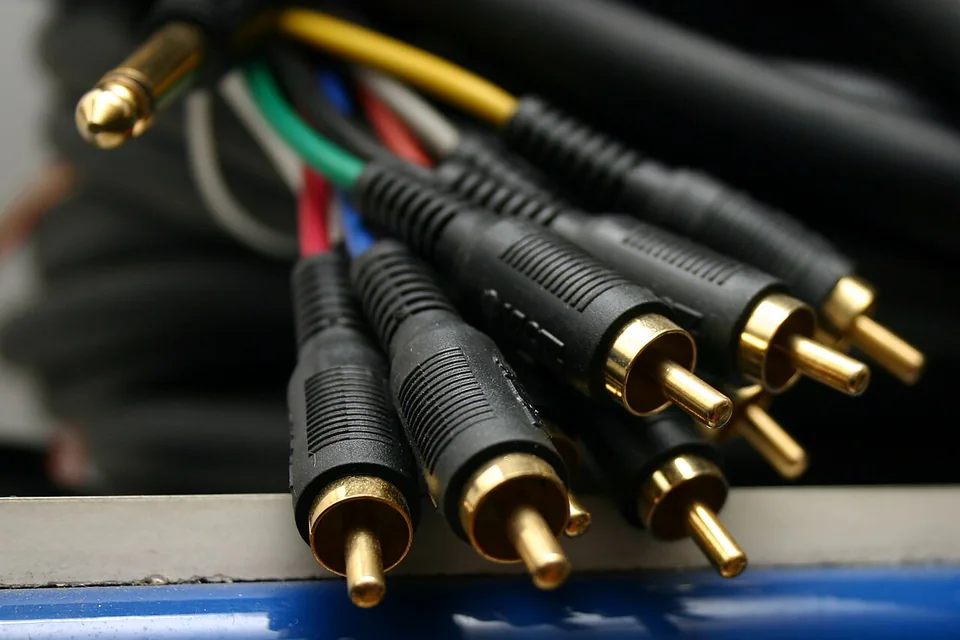
With power off, inspect the accessible signal lead for loose plugs, crushed insulation or obvious damage. A damaged lead should be replaced with a suitable one. For an ordinary RCA line connection, compare a known-working cable of the correct type if one is available; do not adapt a speaker output into a line input.
Reconnect with slack at the plugs and without running the lead across a hot power supply or tightly bundling it with mains wiring. A temporary route can help identify a cable-related change, provided it does not create a trip hazard. Do not handle live mains wiring or move fixed electrical installations.
If a cable change alters the hum, save that observation and repeat the original comparison once at a low level. Avoid treating the price, direction label or thickness of a cable as proof of a remedy. The useful evidence is which safe, repeatable connection change affected the symptom.
5.Reconnect the rest of the system in documented stages
If the subwoofer is quiet in the permitted isolated check, restore the minimum supported audio chain first. Then reconnect optional low-level sources one at a time, powering down before every cable change and following the documented power-up sequence. Stop once a particular reconnection reproducibly brings the hum back.
For example, a quiet receiver-to-sub connection that begins humming after a computer is connected identifies an interconnection to investigate. It does not prove which device is faulty or authorize cutting a shield, removing an earth conductor or changing a mains plug.
Ask the equipment manufacturer about supported signal-side isolation when the evidence points to an interconnection issue. A suitable audio isolation device may be an option for a specified interface, but compatibility and bandwidth need checking. It is not a substitute for repairing an unsafe electrical installation. An electrician should assess suspected building-wiring problems.
Source for this section: RaneNote 110: signal interconnection and ground-loop context ↗
If the wider system also loses a channel, use the separate diagnostic guide One Speaker Has No Sound? Trace the Missing Channel.
6.Distinguish driver hum from mechanical vibration
Listen from a normal position to identify whether the reported sound follows playback or appears to come from the cabinet or nearby furniture. Do not open the cabinet, press on a moving cone or remove protective covers. A buzzing object near the subwoofer and an electrical hum through the driver require different next questions.
If the symptom occurs only on particular notes or at higher levels, stop calling it constant hum. Record the passage and level, check for a visibly loose nearby object without touching electrical parts, and reduce playback level. Persistent distortion or a new mechanical sound warrants manufacturer advice rather than repeated stress tests.
7.Send service a result they can use
Report the model, connection type, symptom, whether it occurs without programme playback, and the result of each permitted signal-side comparison. Include whether the sub entered standby, whether a known-compatible cable changed anything and which reconnection restored the noise.
If the hum remains in the documented isolated condition, or if there is abnormal electrical behavior, stop experimenting and request service. If the symptom follows one interconnection, provide that diagram to support. A useful diagnosis narrows the next professional question while preserving all original safety provisions.
8.Key terms and common questions
(1)A question worth checking
Can I use a cheater plug to see whether the hum disappears?
Do not defeat protective earth. Use documented signal-side checks and consult the manufacturer or a qualified technician for an appropriate remedy.
The hum stops when I unplug the RCA lead. Is that definitely a ground loop?
No. It narrows the investigation toward the lead or interconnected signal path. A damaged cable, interference and other connection-related problems still need distinguishing. Do not change mains grounding to force a diagnosis.
9.Technical references and editorial scope
Updated Nov. 11, 2026. Clarified permitted signal-side checks, standby limitations and what each observation can and cannot establish.
Research-based educational guidance. Sources support fact checking; they are not text to reproduce. No original measurements or hands-on product test are claimed. Follow the instructions for your equipment. Our editorial and corrections policy.
Have a question or spotted a correction? Write to the editors ↗