Dialogue diagnosis: a practical path
- 1
One programme or all sources?
If it is one programme, start with that playback path. Otherwise check the shared system.
- 2
Does configuration match the speakers?
Correct a mismatch before using trims to compensate.
- 3
Does the problem follow the seat?
Inspect the physical path and compare a practical nearby position.
- 4
A fault or persistent uncertainty?
Document the checks and seek qualified help where needed.
1.Decide whether the problem belongs to one source
If dialogue is difficult in one film but clear on other material, begin with that programme's selected audio track, application and playback route. If speech is consistently unclear across several understood sources, investigate the shared system. This first comparison can prevent a global adjustment from being made to compensate for one unusual mix or setting.
Use the same short passage and a comfortable level when comparing. Note whether the difficulty is low speech level, a muffled character, competing effects or an intermittent missing channel. Those observations need not have the same cause. Do not keep raising master volume until the effects become uncomfortable; a louder version of an unresolved routing or placement problem is not a diagnosis.
| Observation | Next check | Do not assume |
|---|---|---|
| Only one programme is difficult | Compare another programme through the same path | That a loudspeaker must be defective |
| Every source has the issue | Verify system configuration and physical placement | That all recordings have the same fault |
| Only one seat is affected | Compare nearby seats and the path from speaker to listener | That a global volume increase solves the cause |
| Distortion or an electrical concern appears | Stop and arrange appropriate service | That more processing or higher level is a safe remedy |
| Symptom | First action | What the result tells you |
|---|---|---|
| Only one app or title is unclear | Compare a different title and then another app at a similar comfortable level. | A problem limited to one title or app points toward its mix, track selection or output settings. |
| Every source is unclear | Confirm which speakers reproduce dialogue and play familiar speech through the same system. | A consistent problem calls for connection, channel-routing and placement checks. |
| Only the side seats lose clarity | Replay the same passage from the centre and each side seat without changing settings. | A seat-specific difference warrants an angle or obstruction check before increasing the centre level. |
2.Check the selected track and output format
Confirm the actual soundtrack and language where the source provides that choice. Application badges can describe availability rather than the signal received by the audio system. A television's internal app and an external player may also use different routes and format handling. Keep them as separate checks.
Read incoming-signal information on the receiver independently of its listening mode. A processing label or active-speaker diagram does not necessarily describe the original input. If the television feeds a two-channel device, its output must be compatible with that device; if it feeds a multichannel system, the supported path still needs the intended settings. Use the manuals for the actual equipment rather than assuming that similarly named output options behave identically across brands.
For a focused explanation of this connection, read Center Channel Speaker Placement: Below TV, Height and Angle.
3.Make the speaker configuration match reality
A receiver must know which speakers are present and how they are assigned. A declared center channel with no functioning physical center can create a very different problem from a correctly configured system without a separate center. Verify the configuration before compensating with trims or dialogue enhancement.
Use the receiver's documented channel-identification function at a modest level. Confirm that the named role reaches the intended loudspeaker. If a channel fails that check, reduce level and inspect accessible connections with power off. Do not reconnect a suspected short or damaged speaker to another output merely to investigate. A configuration check is intended to establish basic routing; it is separate from judging the clarity of a particular performance.
(1)Keep the diagnosis controlled
- Try a second programme or source.
- Record the current playback mode and channel configuration.
- Inspect obvious speaker obstructions without unsafe lifting.
- Restore an original setting if a change has no clear benefit.
4.Inspect the physical path from speaker to listener
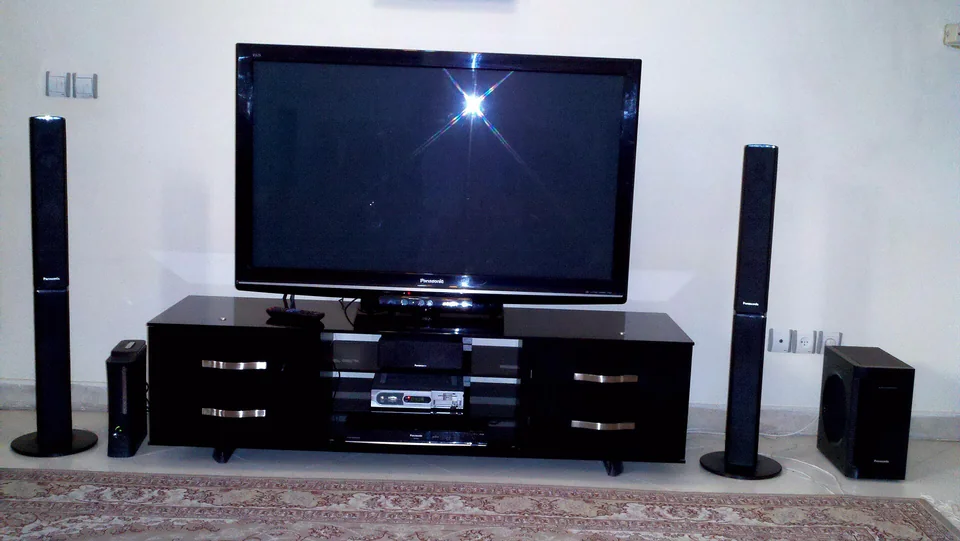
Furniture, shelf edges and decorations can obstruct output. A center speaker deep inside a console may have a different acoustic environment from one placed appropriately near its front. Any comparison must preserve secure support and the manufacturer's required clearances. Do not create an unstable overhang to make the speaker look less enclosed.
If the speaker is well below or above the seats, investigate a supported aiming arrangement and the design's intended listening axis. An improvised loose wedge is not a proper mount. Keep nearby electronics ventilated. The useful question is whether an allowed physical change gives a clearer path and a repeatable benefit, not whether the installation resembles a photograph of another room with different equipment.
5.Compare the center and outer seats
A presentation that is clear at the middle of a couch can change toward the sides. Coverage depends on the actual loudspeaker design and geometry; a wide cabinet does not prove wide acoustic consistency. Listen to the same speech passage from the important seats without changing the controls.
Distinguish reduced overall level from a substantial tonal change. A center trim affects the whole channel, so it cannot independently correct one off-axis seat while leaving others unchanged. Published directional measurements can help explain a coverage limitation where available. If the behavior changes mainly with position, keep that evidence separate from a source-format issue. The intended listening area should guide the compromise rather than a single seat being silently treated as the whole room.
To investigate the next part of this question, see HDMI ARC vs eARC: Formats, Connections and Common Problems.
6.Use enhancement and dynamic-range options deliberately
Dialogue enhancement, tone shaping and dynamic-range features can be useful for particular listening circumstances. Their names and behavior vary by implementation. Learn which function changes speech balance, which reduces programme dynamics and which may affect the complete presentation. They are not interchangeable repairs.
Save the original setting and compare one option at a steady level using more than one source. A mode that helps quiet evening viewing may be a worthwhile preference without proving that it corrected a hardware fault. If a trim increase is used, keep it as a documented balance decision after routing and placement are understood. Avoid stacking several unknown features and attributing a successful result to whichever menu was changed last.
7.Investigate room contributions without a universal treatment claim
Hard nearby surfaces, reflections and the listening position can influence speech clarity. A safe reversible change may help test a specific suspected path, but a brighter or duller impression alone does not establish the complete acoustic cause. Preserve source, level and speaker position during that comparison.
Do not assume that adding thin material to every wall will solve all dialogue problems. Treatment has frequency-dependent properties and needs a defined objective. If changing the seat or a nearby obstruction produces a repeatable difference, document it before choosing a permanent intervention. Building isolation and neighbor disturbance are separate questions. A room-quality investigation should not be advertised as soundproofing, and a photograph is not evidence of measured intelligibility in the pictured installation.
8.Save a useful result or prepare a specific service question
After a promising change, compare several ordinary programmes and the intended seats. Revisit calibration when a meaningful position change requires it. Save input settings, configuration, location and the options deliberately retained. A working record makes later resets and updates easier to handle.
If the problem persists, describe what passed and failed: which sources are affected, whether the channel test works, how the symptom changes across seats and which physical comparisons were made. Persistent distortion, damaged equipment or unusual electrical behavior requires an appropriate service response. A careful investigation can end with a clear support question rather than a home repair. Its purpose is to locate the relevant stage and improve everyday listening without inventing certainty.
9.Key terms and common questions
(1)Before you turn anything up
Should I start by raising the center level?
First confirm the connected speakers, configuration, source and playback mode. A level adjustment should not hide a routing or connection mistake.
What if a dialogue mode helps one film?
Keep a note of that result and compare other material. A useful setting for one programme need not solve a system-wide problem.
10.Technical references and editorial scope
Research-based educational guidance. Sources support fact checking; they are not text to reproduce. No original measurements or hands-on product test are claimed. Follow the instructions for your equipment. Our editorial and corrections policy.
Have a question or spotted a correction? Write to the editors ↗